A buyer asks about a listing while you are at a showing. You reply, promise to send details, and move on. By the next morning, the conversation is buried and nobody has a clear next step.
Start with three actions: record the actual request, assign one owner, and give the next action a deadline. This real estate lead follow-up checklist adds a sample first-week schedule, five email-and-SMS script pairs, and a simple CRM structure you can adapt.
If you want a larger set of editable materials, the Real Estate Lead Conversion Kit on Etsy from Local Growth Studio, our digital business-resource shop, includes 60+ customizable scripts, an Excel lead tracker, a quick-start guide, and 50 AI prompts. Check the listing for current files and formats.
Disclosure: Vid2SOP and Local Growth Studio are related brands. This article links to a digital product from our Etsy shop.
Before you send: scope and contact permissions
This guide focuses on manually handling inbound buyer and seller inquiries in the United States. It offers an editorial workflow, not legal advice. The Vid2SOP Team reviewed the original examples against the sources below; no real-estate practitioner credentials are claimed.
Before calling or texting, record the preferred channel and contact basis; check TCPA, applicable Do Not Call rules, state law, and brokerage procedures, especially before automation [2, 3]. Commercial email requires truthful headers and subjects, applicable ad identification, a valid postal address, and a clear opt-out honored within 10 business days [4]. Record stop requests promptly and cancel conflicting tasks. A submitted number is not blanket marketing permission.
The six-step real estate lead follow-up checklist
1. Capture the request
Record the source, time received, property or service requested, and the question to answer. Assign a lead ID and check for duplicates so two forms from one person do not become two prospects in your reports.
2. Assign one owner
Name the agent responsible for the reply and the backup for absences. At handoff, record who now owns the task and check the conversation history before sending another message.
3. Give a useful first response
Identify yourself, answer the specific question with verified information, and ask one relevant next-step question. If the person already chose a contact method, use it. Realtor.com's channel guide recommends asking preferences and using brief messages for coordination and email for fuller details [1].
Set a response target your team can meet during staffed hours. For example, a team might choose a one-business-hour target and review missed responses daily; that is an operating choice, not a proven conversion threshold. State coverage honestly and confirm availability before offering a showing time.
4. Agree on the next step
Replace “follow up later” with an action: send requested details, confirm a time, resolve a question, or check in on an agreed date. Give it an owner and a deadline, including the time zone when needed.
5. Update the record
Save a short factual note, current stage, unanswered question, and next action after each exchange. Keep financial documents and other sensitive files in the brokerage's approved systems rather than a general lead tracker.
6. Pause or close the loop
Change the plan when the prospect replies, changes their timeline, chooses another agent, or asks you to stop. A person who agrees to a later check-in belongs in agreed nurture; someone who opts out belongs on the appropriate suppression list, without another sales follow-up task.
A sample first-week real estate follow-up schedule
Use this example for an inbound inquiry where further contact is appropriate. These are decision points, not instructions to send four messages regardless of the situation. Use one suitable channel rather than duplicating every message by email, text, and phone.
| Timing | Useful action | Change or stop when |
|---|---|---|
| Day 0: inquiry arrives | Assign ownership; answer the request; ask one relevant question. Log a dated next action. | A colleague already replied, the contact is incorrect, or permission needs checking. |
| Day 1: next day | Check that promised information was delivered. If appropriate, send a missing verified detail or clarify the next step. | The person replied or agreed to a different date; follow that plan instead. |
| Day 3: no reply | Review the history. If another contact is appropriate, ask one short question about the original request. | There is no useful reason to contact them, or a pause or stop request exists. |
| Day 7: still no reply | Consider one respectful close-the-loop message; then pause unscheduled outreach. | Any restriction requires stopping sooner. Do not switch channels to bypass it. |
For an urgent showing request, handle the requested scheduling promptly within your real coverage. For someone planning a move in several months, agree on a later date instead of applying the first-week sequence. An active conversation or confirmed appointment replaces this example schedule.
Five real estate follow-up scripts: email and SMS
Use these original examples for relevant inquiries, after checking permission and context. Replace all brackets with accurate details. Each email needs your actual signature and any required brokerage disclosures, postal address, and opt-out wording; SMS examples also need any required sender or opt-out language. These are message bodies, not complete compliance-approved campaigns.
1. Buyer lead follow-up: a new listing inquiry
EMAIL SUBJECT: Your question about [Property]
EMAIL: Hi [First name], I'm [Agent name] with [Brokerage]. Thanks for asking about [Property] through [Source]. Here is the information you requested: [Verified answer or link]. Would you like me to check viewing availability, or is there another detail you need first? Best, [Agent name]
SMS: Hi [First name], [Agent] at [Brokerage] here. About your [Property] inquiry: [Brief verified answer]. Would you like me to check viewing times?
Use the channel already requested. If no preference is established, ask how they would like to continue rather than assuming both channels are welcome.
2. Seller lead follow-up: clarify the timeline
EMAIL SUBJECT: Your selling plans in [Area]
EMAIL: Hi [First name], thanks for asking about selling in [Area]. I'm [Agent name] with [Brokerage]. Are you exploring the process, or working toward a particular moving date? Once I understand your timing, I can send [Relevant resource you actually provide] and suggest a suitable next step. Best, [Agent name]
SMS: Hi [First name], [Agent] with [Brokerage]. Thanks for your selling inquiry. Are you exploring, or aiming for a particular moving date?
Record the person's answer. Do not turn a request for general information into an unsupported valuation promise.
3. Open-house follow-up: deliver what was requested
EMAIL SUBJECT: The information you requested at [Property]
EMAIL: Hi [First name], this is [Agent name] with [Brokerage]. We spoke at the open house at [Property], and you asked for [Information]. Here it is: [Verified detail or link]. What question would be most helpful to answer next? Best, [Agent name]
SMS: Hi [First name], [Agent] at [Brokerage]. Here's the [Information] you requested at [Property]: [Link]. Any question I can help with?
Use this when the visitor requested follow-up. Attendance alone does not establish the scope of permission for later marketing.
4. Appointment recap: confirm the commitments
EMAIL SUBJECT: Our next steps after [Meeting or call]
EMAIL: Hi [First name], thank you for speaking with me. I will [Action] by [Date and time]. You said [Brief factual recap]. Our next conversation is confirmed for [Date, time, time zone, and channel]. Please let me know if I missed anything. Best, [Agent name], [Brokerage]
SMS: Hi [First name], [Agent] at [Brokerage]. Confirming [Appointment and time zone]. I'll send [Item] by [Time]. Please let me know if plans change.
Only state that an appointment is confirmed when it is. If you are proposing a time, ask for confirmation and leave the stage as conversation active.
5. No-response follow-up: pause respectfully
EMAIL SUBJECT: Closing the loop on your [Topic] inquiry
EMAIL: Hi [First name], I'm following up on your request about [Topic]. If it would still help, I can [Specific useful action]. Otherwise, I'll pause follow-up for now. You can reply if you would like to pick this up later. Best, [Agent name], [Brokerage]
SMS: Hi [First name], [Agent] with [Brokerage]. I'll pause follow-up on [Topic] for now. Reply if you'd like to continue later.
Use this only while contact remains appropriate. If the person already asked you to stop, record and honor that request instead of sending another sales message.
Real estate CRM checklist: fields and stages
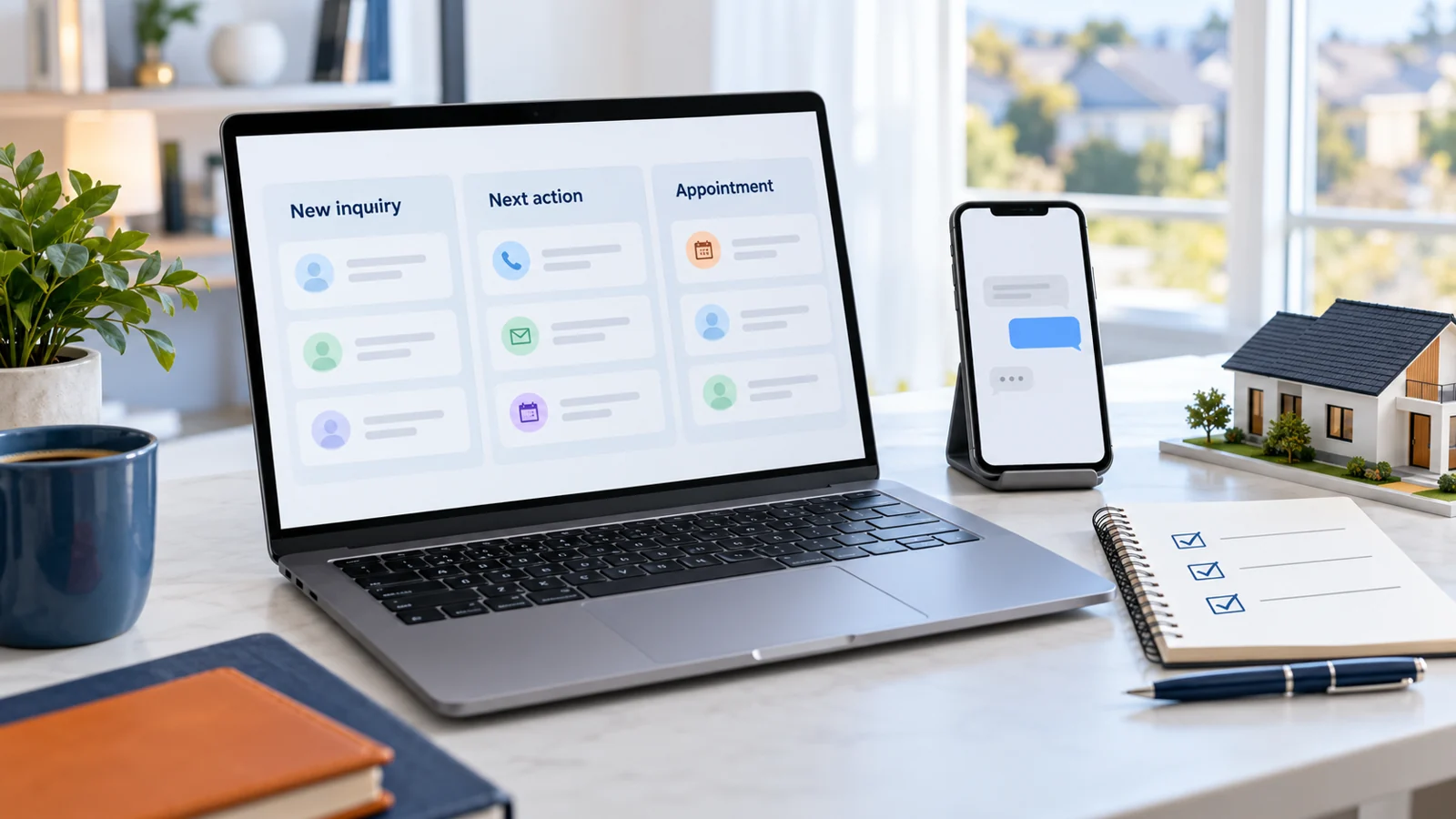
Use your existing CRM or a tracker with suitable access controls. Keep these fields visible: lead ID, source, received time, owner, request, preferred channel, contact restrictions, stated timeline, last conversation, stage, next action, due date, and appointment outcome.
Define stages by observable events so the team counts the same thing consistently.
| Stage | Definition | Move forward when |
|---|---|---|
| New inquiry | Received and assigned; no reply sent yet. | The first useful response is sent. |
| Responded | A response was sent; no two-way exchange yet. | The prospect replies meaningfully. |
| Conversation active | A two-way exchange about the request is underway. | An appointment is explicitly confirmed. |
| Appointment booked | Date, time, and format are confirmed. | Attendance or a change is recorded. |
| Appointment held | The consultation or showing happened. | Record the agreed outcome and next task. |
| Nurture by agreement | A later check-in was agreed. | That date arrives or the prospect re-engages. |
| Closed / suppressed | No further sales task is due; reason recorded. | Reopen only if appropriate; preserve opt-outs. |
A sent message is not a conversation. An offered time is not a booked appointment. A canceled appointment should not count as held.
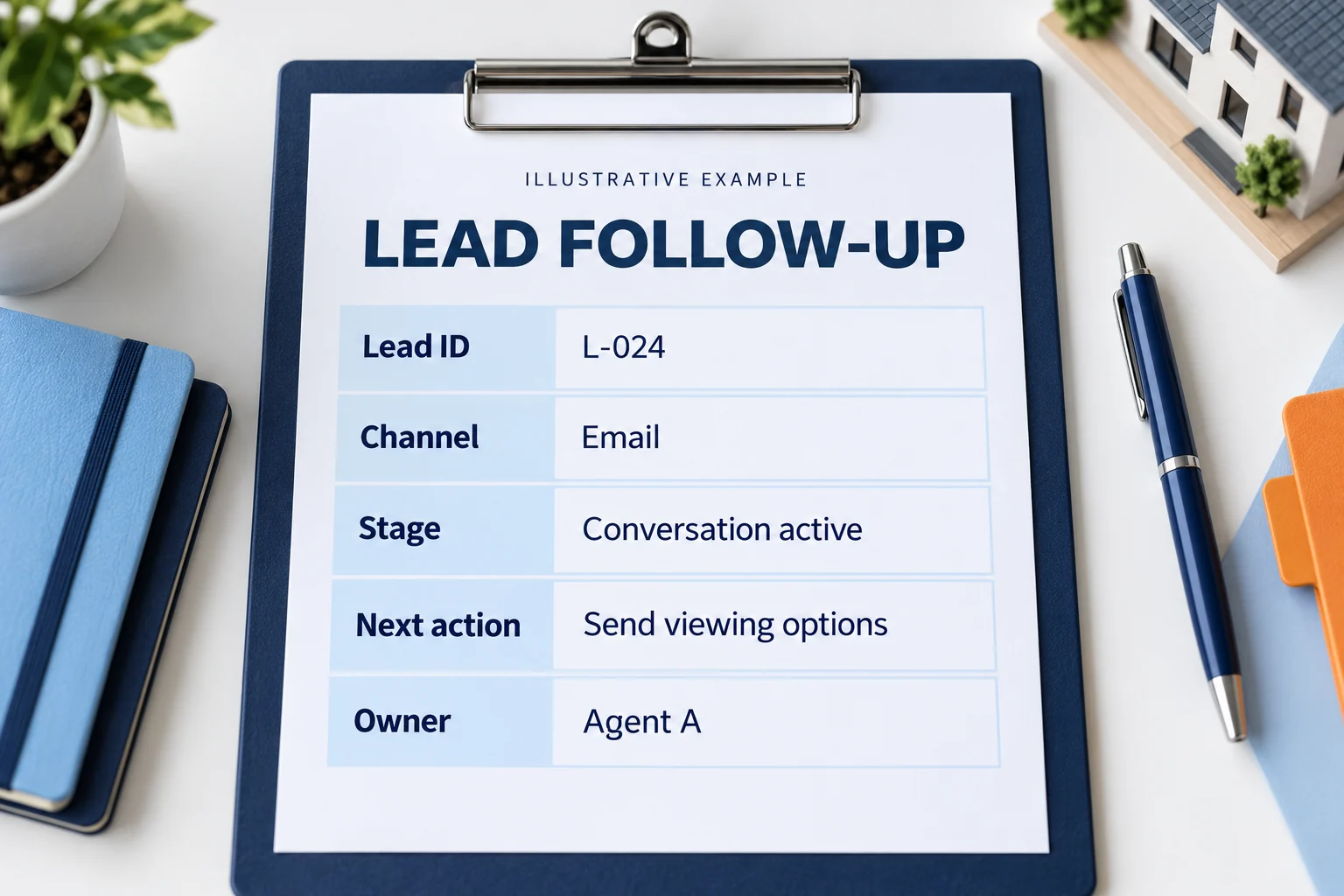
Worked example: a real estate lead-tracking record
This fictional record shows how a request becomes an owned task. It is not a customer result.
| Field | Example entry |
|---|---|
| Lead and source | L-024; property inquiry form |
| Request | Listing details and viewing availability |
| Owner and channel | Agent A; email requested by prospect |
| Permission and restrictions | Requested reply about this listing; no broader marketing permission recorded |
| Stage | Conversation active; prospect replied |
| Next action | Agent A to email two verified viewing options by 3 p.m. today, prospect's local time |
| Open question | Which viewing option suits the prospect? |
| Completion check | Record a confirmed slot, or review the unanswered question at the next appropriate checkpoint |
Use factual notes and property requirements. Avoid speculative labels or unnecessary personal information. Check existing representation and your brokerage's process before offering services that may conflict with it.
Measure conversations and attended appointments
Choose a consistent cohort, such as unique inquiries received in one week. Review response coverage, overdue next actions, meaningful conversations, appointments booked, and appointments held. Record signed-client outcomes separately because they may happen later.
For a hypothetical cohort of 20 inquiries, 12 meaningful conversations and 4 attended appointments give:
- Conversation rate: 12 / 20 = 60%.
- Inquiry-to-attended-appointment rate: 4 / 20 = 20%.
These figures explain the calculations; they are not benchmarks or forecasts. Keep the original cohort denominator when outcomes arrive later, and compare similar sources over similar observation periods. A small sample can reveal missed tasks without establishing a reliable conversion rate.

Turn the checklist into a visual team SOP
A visual handoff guide can show a new teammate exactly where to record the inquiry, find approved wording, and assign the next task. That is more useful for onboarding than a list of message templates alone.
Record a short screen demonstration with fictional lead data. In Vid2SOP, capture useful frames from your video, write and review each instruction, edit the visual draft, and export a visual SOP PDF. This workflow does not transcribe speech, write the procedure automatically, send messages, or update a CRM.
Start with one demonstration: create L-024, assign an owner, log the requested channel, and save a dated next action. Check that a teammate can follow the exported guide, then add the pause and handoff rules. Use Vid2SOP's resources for related business materials.
Frequently asked questions
How fast should I respond to a real estate lead?
Respond promptly during your stated coverage, especially when the request concerns a time-sensitive showing. Set a measurable team target you can deliver; the one-business-hour example above is a planning choice, not a universal rule or a promised sales result. Track overdue replies and provide backup coverage.
Should I text or email first?
Start with the person's requested channel and the contact you are permitted to make. A short text can suit coordination; email gives room for requested details and a recap [1]. Do not assume a form containing both contact fields invites duplicate outreach.
How often should I follow up?
The Day 0, 1, 3, and 7 schedule is a starting framework for reviewing a recent inbound request. Change it when the person replies or agrees on another date. A stop request ends the sales follow-up; lack of a reply does not justify continuing indefinitely.
Do I need a paid real estate CRM?
This structure can work in an existing CRM or a controlled-access tracker. Choose a tool that supports ownership, due dates, permissions, and reliable records. An editable Excel workbook is not automatically connected to your inbox, phone, or other systems.
What if the lead is not ready?
Ask whether a later check-in would be helpful, record the agreed date, and remove tasks that conflict with it. Keep agreed nurture separate from opt-out or wrong-contact records.
Start with one source of inquiries
Apply this checklist to one incoming lead source. Review missing owners, late replies, and overdue promises before adding more messages or automation. Once the team can follow the process consistently, use its own results to decide what needs improving.
Sources and editorial method
The checklist, cadence, fictional record, and scripts are original workflow examples. Sources support the channel guidance and U.S. contact safeguards, not a claimed conversion uplift. Checked October 16, 2026.
- [1] Realtor.com PRO: Text or email? What is the best approach for real estate lead follow-up? Published April 3, 2026.
- [2] FCC: Consumer protections for robocalls and robotexts. February 15, 2024 announcement; background on TCPA consent and revocation. Check current rules before implementing automated outreach.
- [3] FTC: Complying with the Telemarketing Sales Rule. Scope, Do Not Call procedures, and restrictions.
- [4] FTC: CAN-SPAM Act - A Compliance Guide for Business. Commercial email requirements and opt-out handling.
Put your process into practice
Record a short demonstration with fictional lead data. Capture useful frames, write and review your instructions, then export a visual SOP PDF for your team.
Create your SOP