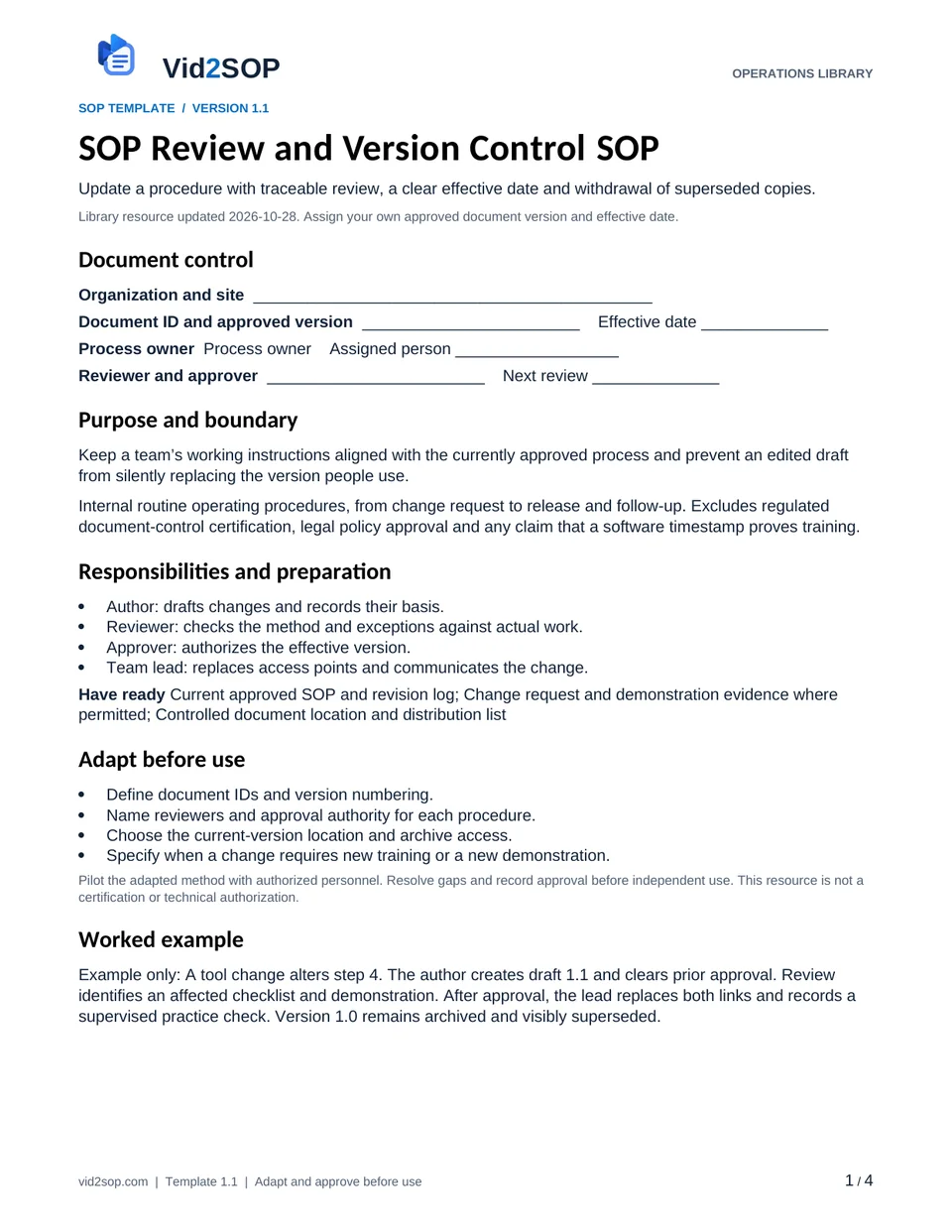
SEE WHAT YOU WILL DOWNLOAD
A look inside the file.
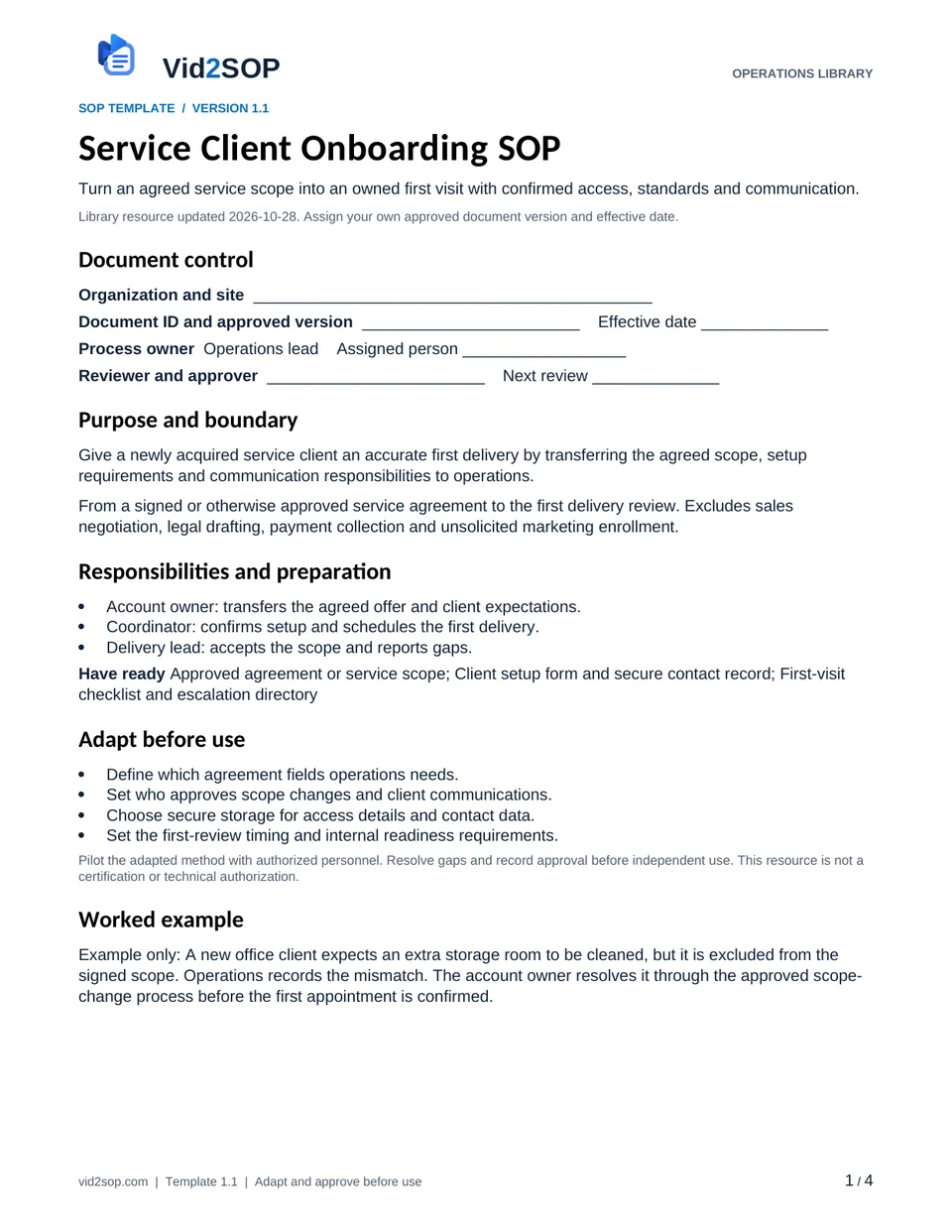
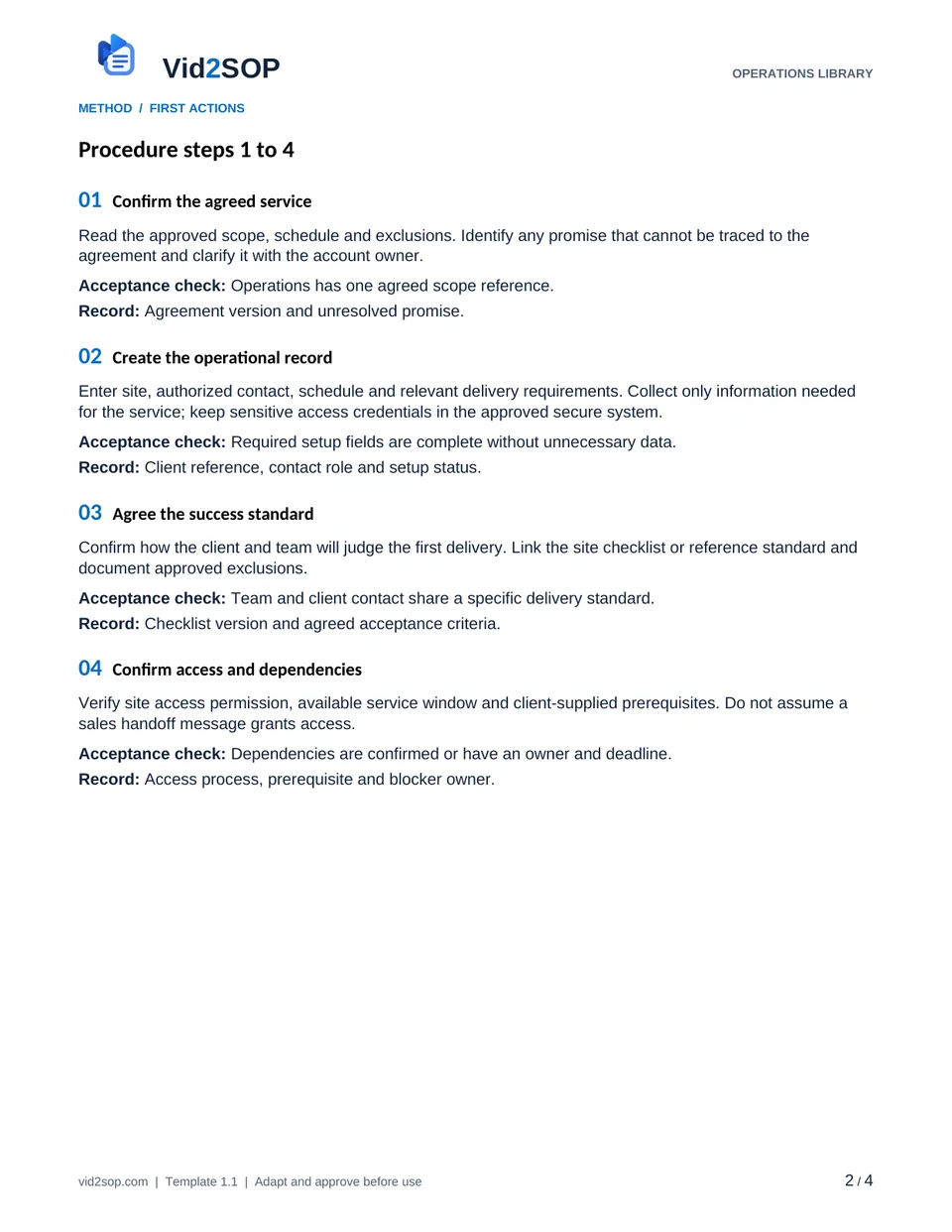
These previews show the actual template pages: document control and scope, followed by the detailed procedure. Download the Word file to adapt the content, or the PDF for a printable reference.
4 pages · Version 1.1 · Organization approval required
Select a page to open a larger preview.
Ready to adapt it for your team?
Editable Word or printable PDF. No email required.
Purpose and scope
Give a newly acquired service client an accurate first delivery by transferring the agreed scope, setup requirements and communication responsibilities to operations.
From a signed or otherwise approved service agreement to the first delivery review. Excludes sales negotiation, legal drafting, payment collection and unsolicited marketing enrollment.
Operations lead. Assign the actual owner, reviewer, approver and effective date before use. The library update date is not your approval date.
Who does what
- Account owner: transfers the agreed offer and client expectations.
- Coordinator: confirms setup and schedules the first delivery.
- Delivery lead: accepts the scope and reports gaps.
Tools and records
- Approved agreement or service scope
- Client setup form and secure contact record
- First-visit checklist and escalation directory
Customize before the first use
- Define which agreement fields operations needs.
- Set who approves scope changes and client communications.
- Choose secure storage for access details and contact data.
- Set the first-review timing and internal readiness requirements.
Use the Word file to edit the method, roles and fields. PDF is a printable reference, not an interactive form. Pilot the procedure with an authorized team member and resolve gaps before approving it.
The procedure
- 01
Confirm the agreed service
Read the approved scope, schedule and exclusions. Identify any promise that cannot be traced to the agreement and clarify it with the account owner.
Acceptance check Operations has one agreed scope reference.
Record Agreement version and unresolved promise.
- 02
Create the operational record
Enter site, authorized contact, schedule and relevant delivery requirements. Collect only information needed for the service; keep sensitive access credentials in the approved secure system.
Acceptance check Required setup fields are complete without unnecessary data.
Record Client reference, contact role and setup status.
- 03
Agree the success standard
Confirm how the client and team will judge the first delivery. Link the site checklist or reference standard and document approved exclusions.
Acceptance check Team and client contact share a specific delivery standard.
Record Checklist version and agreed acceptance criteria.
- 04
Confirm access and dependencies
Verify site access permission, available service window and client-supplied prerequisites. Do not assume a sales handoff message grants access.
Acceptance check Dependencies are confirmed or have an owner and deadline.
Record Access process, prerequisite and blocker owner.
- 05
Brief the delivery lead
Review the scope, standards, access and escalation route. Ask the delivery lead to confirm understanding and raise capacity or equipment gaps before scheduling is final.
Acceptance check Delivery lead accepts a feasible first-visit scope.
Record Briefing date, acknowledgment and gaps.
- 06
Send the first-visit confirmation
Tell the authorized client contact the appointment, included work and next communication point. Use the approved transactional channel; do not subscribe them to unrelated promotions.
Acceptance check Client has an accurate confirmation and contact route.
Record Confirmation, recipient role and sent date.
- 07
Review the first delivery
Compare the report with the agreed standard, assign corrections and record any approved scope change. Close onboarding only when open actions have owners and the ongoing contact is clear.
Acceptance check First-review decision is supported by the visit record.
Record Review result, open actions and ongoing owner.
When the standard route does not fit
Sales promise conflicts with delivery capacity
Escalate to the account owner for a written resolution before confirming an impossible visit.
Client wants additional work
Route it through scope-change approval rather than quietly adding it to the first visit.
Required access is not ready
Mark onboarding blocked and assign the person who will resolve access.
Release checks
- The delivery team uses the approved scope.
- No credential is placed in a public guide or reusable video.
- First-review findings create owned corrections rather than vague feedback.
Record the outcome, unresolved actions, responsible owner and review date. Keep records in your approved system and apply your organization’s retention rules.
ILLUSTRATIVE SCENARIO
What a useful record looks like
Example only: A new office client expects an extra storage room to be cleaned, but it is excluded from the signed scope. Operations records the mismatch. The account owner resolves it through the approved scope-change process before the first appointment is confirmed.
Record your actual method
- Walk through a fictional client handoff and site checklist.
- Show a scope mismatch and the approved clarification route.
- Record only dummy contact records and conceal access details.
Obtain permission before recording. Remove customer information, access codes and personal details. Follow the current upload limits and access conditions shown in Vid2SOP. Review any resulting draft against what the video actually demonstrates.
Prepare a recording brief
Use the recording prompts above to plan your demonstration. With JavaScript enabled, you can also prepare a brief here.
Questions before you download
Can I edit this template?
Yes. The DOCX file can be edited in Word or imported into a compatible document editor. Check layout after editing. There is no direct template import into Vid2SOP in this release.
Is it approved for my country or industry?
No. It is a general operational drafting resource for adaptation. A responsible person must check local requirements, site conditions and the organization’s approved methods. No OSHA, COSHH, ISO or other certification is claimed.
Can my team use it commercially?
You may adapt and use it for your own organization’s internal operations, including paid service delivery. Do not resell or redistribute the unmodified library files as a competing template product.
Background references
These references provide context; they do not endorse or approve this template.
Put the procedure to work.
Download, adapt, pilot and approve the version your team will use.