SEE WHAT YOU WILL DOWNLOAD
A look inside the file.
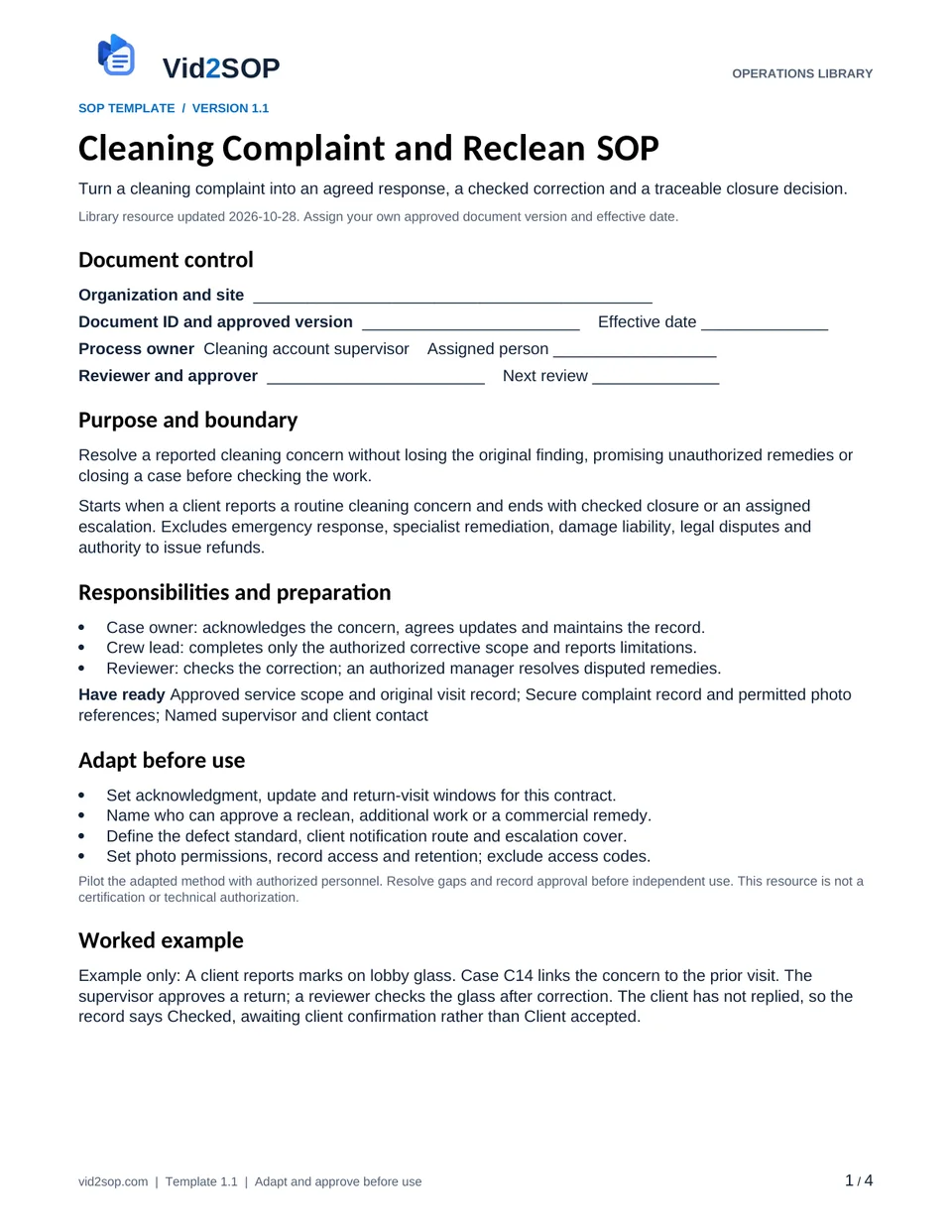
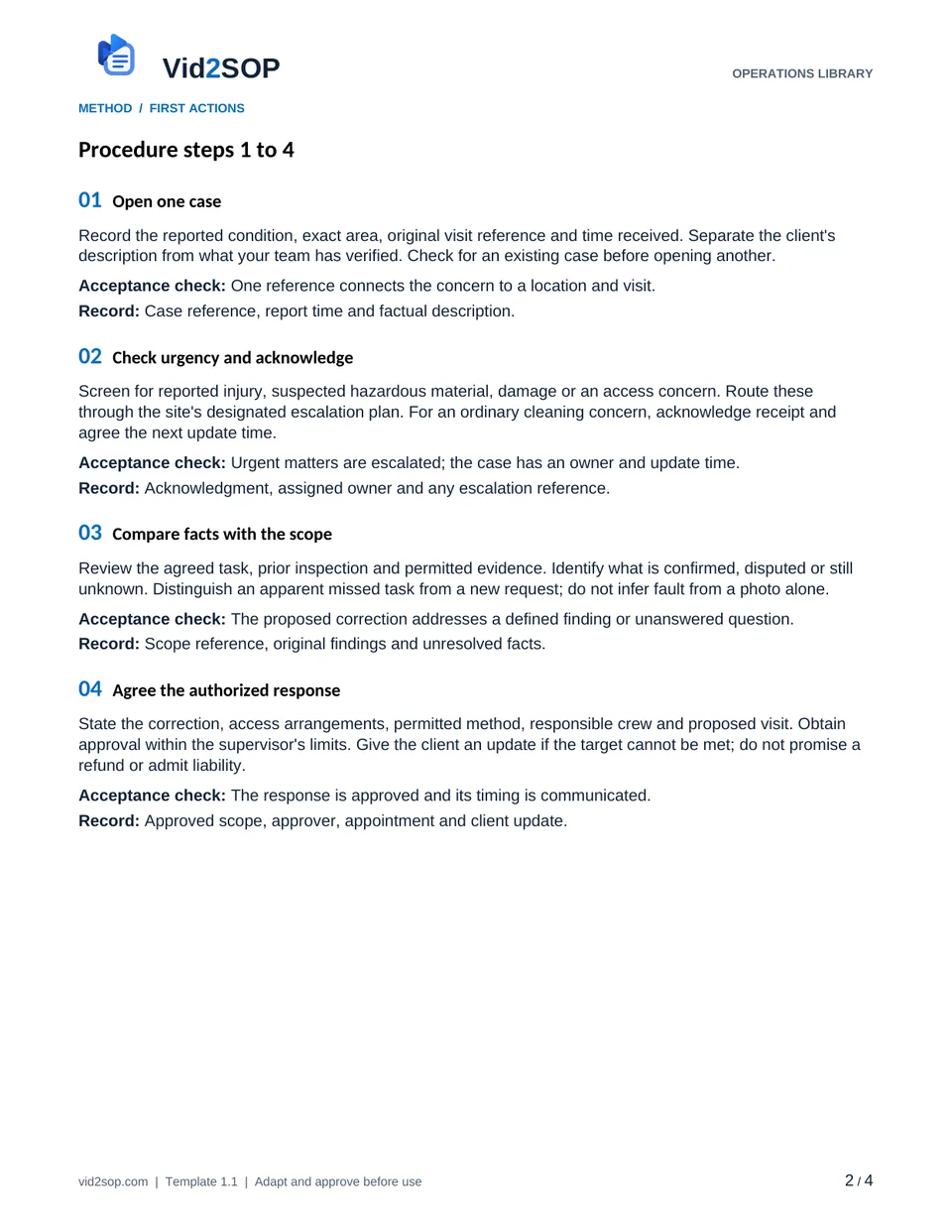
These previews show the actual template pages: document control and scope, followed by the detailed procedure. Download the Word file to adapt the content, or the PDF for a printable reference.
4 pages · Version 1.1 · Organization approval required
Select a page to open a larger preview.
Ready to adapt it for your team?
Editable Word or printable PDF. No email required.
Purpose and scope
Resolve a reported cleaning concern without losing the original finding, promising unauthorized remedies or closing a case before checking the work.
Starts when a client reports a routine cleaning concern and ends with checked closure or an assigned escalation. Excludes emergency response, specialist remediation, damage liability, legal disputes and authority to issue refunds.
Cleaning account supervisor. Assign the actual owner, reviewer, approver and effective date before use. The library update date is not your approval date.
Who does what
- Case owner: acknowledges the concern, agrees updates and maintains the record.
- Crew lead: completes only the authorized corrective scope and reports limitations.
- Reviewer: checks the correction; an authorized manager resolves disputed remedies.
Tools and records
- Approved service scope and original visit record
- Secure complaint record and permitted photo references
- Named supervisor and client contact
Customize before the first use
- Set acknowledgment, update and return-visit windows for this contract.
- Name who can approve a reclean, additional work or a commercial remedy.
- Define the defect standard, client notification route and escalation cover.
- Set photo permissions, record access and retention; exclude access codes.
Use the Word file to edit the method, roles and fields. PDF is a printable reference, not an interactive form. Pilot the procedure with an authorized team member and resolve gaps before approving it.
The procedure
- 01
Open one case
Record the reported condition, exact area, original visit reference and time received. Separate the client's description from what your team has verified. Check for an existing case before opening another.
Acceptance check One reference connects the concern to a location and visit.
Record Case reference, report time and factual description.
- 02
Check urgency and acknowledge
Screen for reported injury, suspected hazardous material, damage or an access concern. Route these through the site's designated escalation plan. For an ordinary cleaning concern, acknowledge receipt and agree the next update time.
Acceptance check Urgent matters are escalated; the case has an owner and update time.
Record Acknowledgment, assigned owner and any escalation reference.
- 03
Compare facts with the scope
Review the agreed task, prior inspection and permitted evidence. Identify what is confirmed, disputed or still unknown. Distinguish an apparent missed task from a new request; do not infer fault from a photo alone.
Acceptance check The proposed correction addresses a defined finding or unanswered question.
Record Scope reference, original findings and unresolved facts.
- 04
Agree the authorized response
State the correction, access arrangements, permitted method, responsible crew and proposed visit. Obtain approval within the supervisor's limits. Give the client an update if the target cannot be met; do not promise a refund or admit liability.
Acceptance check The response is approved and its timing is communicated.
Record Approved scope, approver, appointment and client update.
- 05
Complete and independently check
Have the crew report the correction and any blocked work. The reviewer checks each affected item against the agreed standard and records Pass, Further work or Not checked. Retain the original complaint and initial result.
Acceptance check Every corrected item has a recheck; unavailable evidence remains explicit.
Record Correction, permitted evidence, checker and recheck time.
- 06
Communicate the outcome
Tell the client what was checked and what remains open. Record their response separately from the technical check. If they disagree or cannot be reached, keep the case awaiting review or confirmation and name the next owner.
Acceptance check Client agreement is recorded only when actually received.
Record Sent update, reply or follow-up due time and owner.
- 07
Close or escalate with evidence
Close only when the required check and closure conditions are met. Otherwise record why the case remains open and who decides next. Review repeat cases for a scope, scheduling or training change and set a later effectiveness check.
Acceptance check Closure follows recorded evidence; repeat causes have a review action.
Record Status, closure authority, open actions and review date.
When the standard route does not fit
Reported damage or a hazardous condition
Stop affected routine work and use the site's incident route. Keep the cleaning record factual; liability and specialist response stay with authorized personnel.
Correction cannot be accessed or completed
Keep it Open or Blocked, update the client and assign a new plan. A scheduled return is not completed corrective work.
Client disputes the result or requests compensation
Preserve the evidence and refer the decision to the authorized manager. Do not exchange a remedy for removing a review or mark silence as acceptance.
Release checks
- Original concern and recheck remain linked.
- No unsupported promise, liability conclusion or invented client acceptance.
- Every unresolved item has an owner and next update time.
Record the outcome, unresolved actions, responsible owner and review date. Keep records in your approved system and apply your organization’s retention rules.
COMPANION WORKING RECORD
Use the Corrections log.
Track the finding, corrective owner, original result and separate recheck in the Corrections log. Keep client communications and any commercial remedy in your controlled case record.
Download Excel recordsExcel workbook · 3 tabs · Open the Corrections tab · No email required
Adapt the fields to your approved process. Decisions are recorded by your authorized person. This file does not automatically approve work or sync with Vid2SOP. Keep sensitive details in your controlled system.
ILLUSTRATIVE SCENARIO
What a useful record looks like
Example only: A client reports marks on lobby glass. Case C14 links the concern to the prior visit. The supervisor approves a return; a reviewer checks the glass after correction. The client has not replied, so the record says Checked, awaiting client confirmation rather than Client accepted.
Case closure and follow up record
The editable download includes these working fields. Keep completed records in your approved system.
- Case and original visit reference
- Area and reported condition
- Approved response and owner
- Correction and separate recheck
- Client reply and case status
- Next action and update time
- Case owner and closure reviewer
Record your actual method
- Use a dummy complaint and show the original finding beside the approved scope.
- Demonstrate recording a correction and a separate recheck in an empty room.
- Show how a disputed or unanswered case stays open with a named next owner.
Obtain permission before recording. Remove customer information, access codes and personal details. Follow the current upload limits and access conditions shown in Vid2SOP. Review any resulting draft against what the video actually demonstrates.
Prepare a recording brief
Use the recording prompts above to plan your demonstration. With JavaScript enabled, you can also prepare a brief here.
Questions before you download
Can I edit this template?
Yes. The DOCX file can be edited in Word or imported into a compatible document editor. Check layout after editing. There is no direct template import into Vid2SOP in this release.
Is it approved for my country or industry?
No. It is a general operational drafting resource for adaptation. A responsible person must check local requirements, site conditions and the organization’s approved methods. No OSHA, COSHH, ISO or other certification is claimed.
Can my team use it commercially?
You may adapt and use it for your own organization’s internal operations, including paid service delivery. Do not resell or redistribute the unmodified library files as a competing template product.
Background references
These references provide context; they do not endorse or approve this template.
Put the procedure to work.
Download, adapt, pilot and approve the version your team will use.