SEE WHAT YOU WILL DOWNLOAD
A look inside the file.
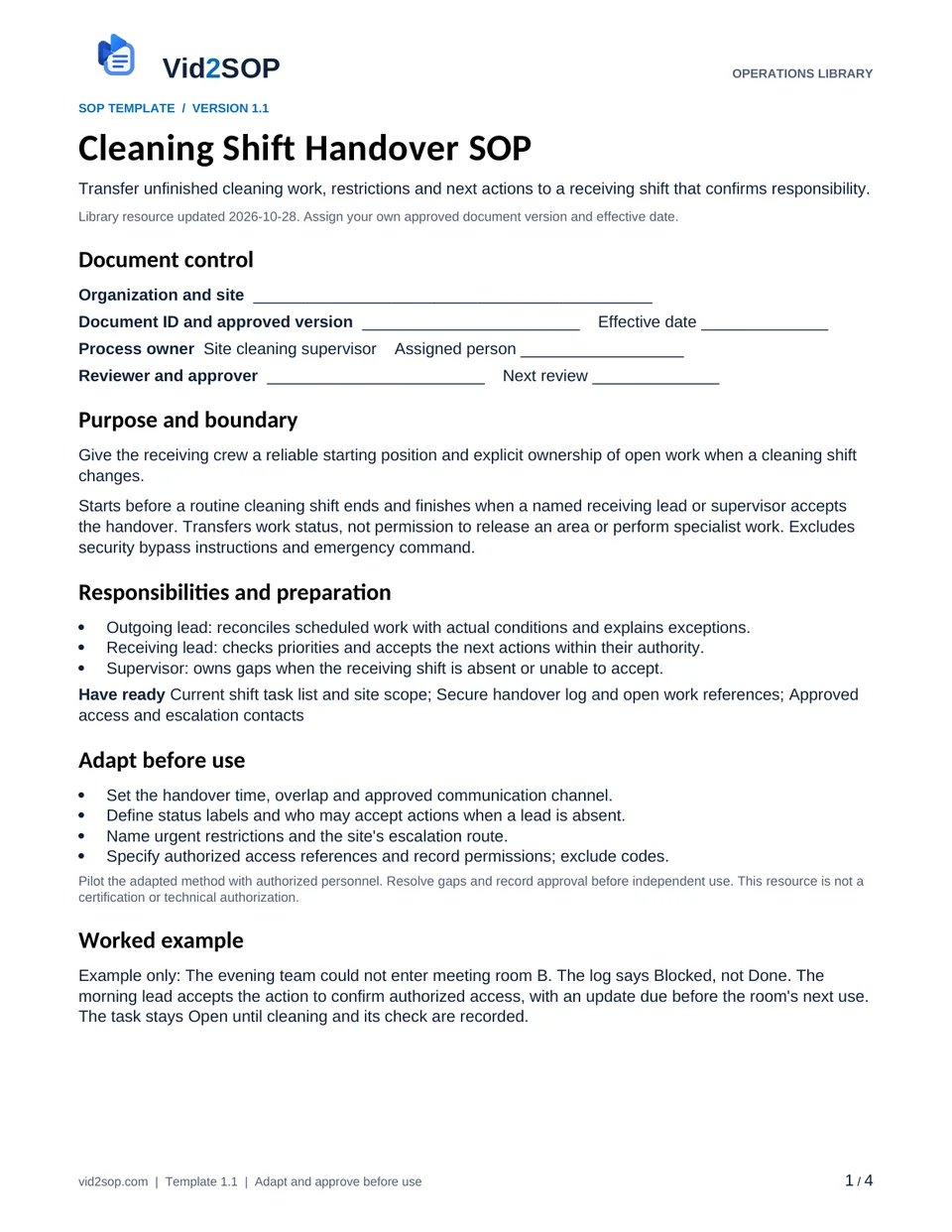
These previews show the actual template pages: document control and scope, followed by the detailed procedure. Download the Word file to adapt the content, or the PDF for a printable reference.
4 pages · Version 1.1 · Organization approval required
Select a page to open a larger preview.
Ready to adapt it for your team?
Editable Word or printable PDF. No email required.
Purpose and scope
Give the receiving crew a reliable starting position and explicit ownership of open work when a cleaning shift changes.
Starts before a routine cleaning shift ends and finishes when a named receiving lead or supervisor accepts the handover. Transfers work status, not permission to release an area or perform specialist work. Excludes security bypass instructions and emergency command.
Site cleaning supervisor. Assign the actual owner, reviewer, approver and effective date before use. The library update date is not your approval date.
Who does what
- Outgoing lead: reconciles scheduled work with actual conditions and explains exceptions.
- Receiving lead: checks priorities and accepts the next actions within their authority.
- Supervisor: owns gaps when the receiving shift is absent or unable to accept.
Tools and records
- Current shift task list and site scope
- Secure handover log and open work references
- Approved access and escalation contacts
Customize before the first use
- Set the handover time, overlap and approved communication channel.
- Define status labels and who may accept actions when a lead is absent.
- Name urgent restrictions and the site's escalation route.
- Specify authorized access references and record permissions; exclude codes.
Use the Word file to edit the method, roles and fields. PDF is a printable reference, not an interactive form. Pilot the procedure with an authorized team member and resolve gaps before approving it.
The procedure
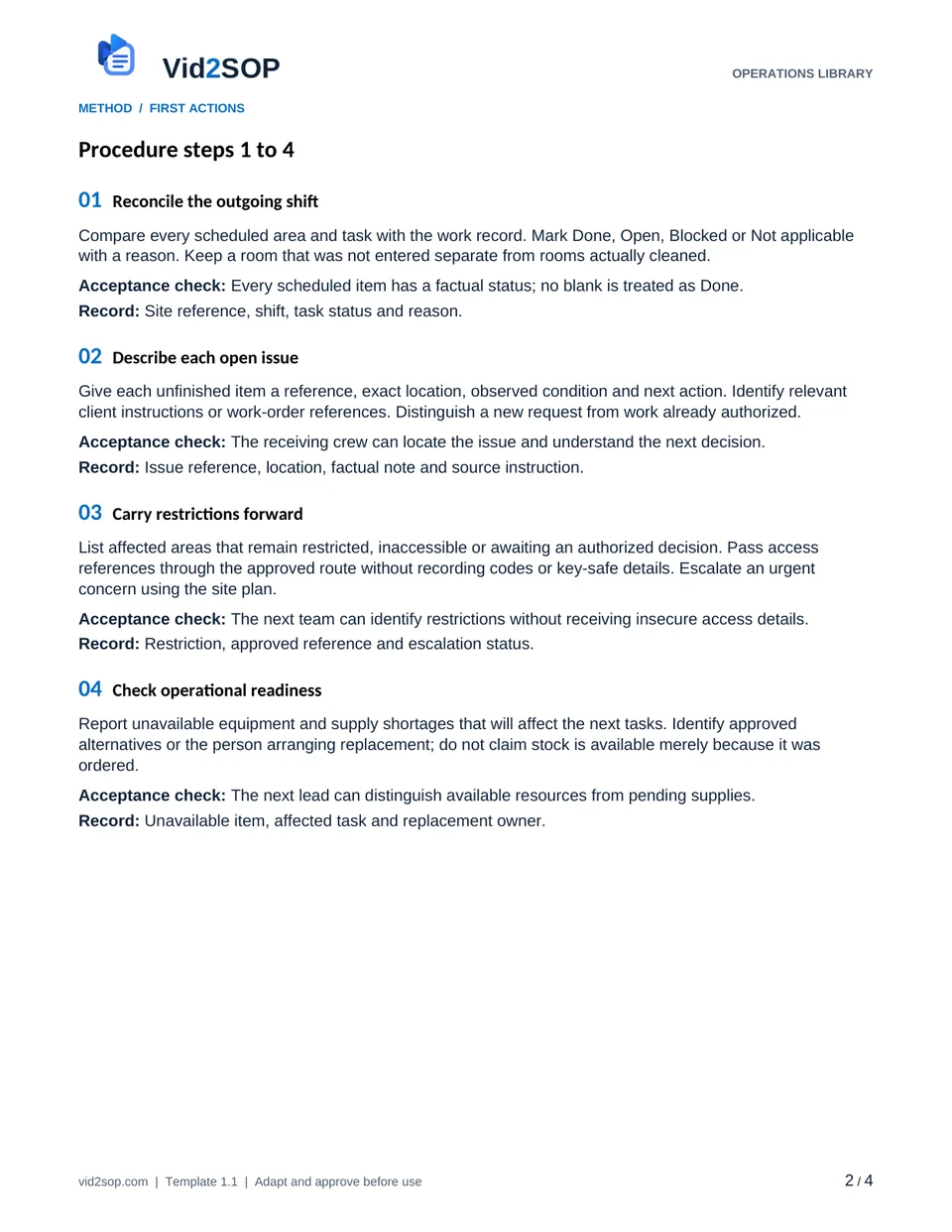
- 01
Reconcile the outgoing shift
Compare every scheduled area and task with the work record. Mark Done, Open, Blocked or Not applicable with a reason. Keep a room that was not entered separate from rooms actually cleaned.
Acceptance check Every scheduled item has a factual status; no blank is treated as Done.
Record Site reference, shift, task status and reason.
- 02
Describe each open issue
Give each unfinished item a reference, exact location, observed condition and next action. Identify relevant client instructions or work-order references. Distinguish a new request from work already authorized.
Acceptance check The receiving crew can locate the issue and understand the next decision.
Record Issue reference, location, factual note and source instruction.
- 03
Carry restrictions forward
List affected areas that remain restricted, inaccessible or awaiting an authorized decision. Pass access references through the approved route without recording codes or key-safe details. Escalate an urgent concern using the site plan.
Acceptance check The next team can identify restrictions without receiving insecure access details.
Record Restriction, approved reference and escalation status.
- 04
Check operational readiness
Report unavailable equipment and supply shortages that will affect the next tasks. Identify approved alternatives or the person arranging replacement; do not claim stock is available merely because it was ordered.
Acceptance check The next lead can distinguish available resources from pending supplies.
Record Unavailable item, affected task and replacement owner.
- 05
Exchange and cross-check
Review the log together using the agreed channel and, where practical, inspect the key locations. Ask the receiving lead to restate the first actions, restrictions and escalation point. Resolve conflicting versions before acceptance.
Acceptance check Both leads agree what remains open and what must happen first.
Record Participants, exchange time and corrections to the log.
- 06
Accept ownership explicitly
Assign each open action to a receiving person with a target or next update time. Record their acceptance; sending a message alone does not transfer responsibility. Refer unaccepted actions to the named supervisor.
Acceptance check Every open action has an accepted owner or an explicit supervisor escalation.
Record Action, accepting owner, time and unresolved transfer.
- 07
Verify the next shift starts
The receiving lead checks the highest-priority actual conditions before starting affected work. Record any changed condition and revise the plan with the supervisor. Close an issue only after the action and its required check are complete.
Acceptance check Starting conditions match the handover or a change is recorded and assigned.
Record Initial cross-check, changed conditions and later closure reference.
When the standard route does not fit
No receiving lead is available
Send the log through the approved channel and escalate to the designated supervisor. Keep actions Unaccepted until a responsible person confirms; do not invent a signature.
Status conflicts with the actual area
Pause the affected task, preserve both observations and ask the supervisor to reconcile them. Correct the log without deleting the earlier entry.
Urgent restriction has no accepted owner
Use the site's escalation plan before treating the handover as complete. A routine shift note does not replace emergency reporting.
Release checks
- Task completion and transfer acceptance are separate decisions.
- No access code or private customer record appears in the shared log.
- No open issue is closed simply because the outgoing shift ended.
Record the outcome, unresolved actions, responsible owner and review date. Keep records in your approved system and apply your organization’s retention rules.
ILLUSTRATIVE SCENARIO
What a useful record looks like
Example only: The evening team could not enter meeting room B. The log says Blocked, not Done. The morning lead accepts the action to confirm authorized access, with an update due before the room's next use. The task stays Open until cleaning and its check are recorded.
Handover and follow up record
The editable download includes these working fields. Keep completed records in your approved system.
- Site and outgoing and receiving shifts
- Open issue and exact location
- Restriction and current status
- Next action and accepted owner
- Acceptance and target time
- Receiving cross check result
- Supervisor escalation reference
Record your actual method
- Film a dummy shift log showing one completed task and one blocked room.
- Demonstrate the two-way exchange and the receiving lead's restatement of priorities.
- Show acceptance of an action without closing the unfinished task or exposing access details.
Obtain permission before recording. Remove customer information, access codes and personal details. Follow the current upload limits and access conditions shown in Vid2SOP. Review any resulting draft against what the video actually demonstrates.
Prepare a recording brief
Use the recording prompts above to plan your demonstration. With JavaScript enabled, you can also prepare a brief here.
Questions before you download
Can I edit this template?
Yes. The DOCX file can be edited in Word or imported into a compatible document editor. Check layout after editing. There is no direct template import into Vid2SOP in this release.
Is it approved for my country or industry?
No. It is a general operational drafting resource for adaptation. A responsible person must check local requirements, site conditions and the organization’s approved methods. No OSHA, COSHH, ISO or other certification is claimed.
Can my team use it commercially?
You may adapt and use it for your own organization’s internal operations, including paid service delivery. Do not resell or redistribute the unmodified library files as a competing template product.
Background references
These references provide context; they do not endorse or approve this template.
Put the procedure to work.
Download, adapt, pilot and approve the version your team will use.